HELP & USER GUIDE
Everything you need to use the CyFun Tool
From zero knowledge of NIS2 to your first completed assessment — no prior experience required.
GETTING STARTED
How to use the tool
Read this top to bottom — it takes about 10 minutes and assumes no prior knowledge of NIS2, CyFun, or cybersecurity frameworks.
Belgium's NIS2 law (enacted 26 April 2024, transposing EU Directive 2022/2555) requires organisations in critical sectors to implement adequate cybersecurity measures. The official path to demonstrate compliance is through the CyberFundamentals (CyFun®) framework, published by the Centre for Cybersecurity Belgium (CCB).
CyFun defines 218 security requirements across 3 assurance levels and 6 functions. Organisations must self-assess against these requirements, then have the self-assessment verified by an accredited Conformity Assessment Body (CAB) — or audited for Essential entities.
This tool helps you conduct and manage that self-assessment for free, entirely in your browser. No data is ever sent to a server.
What this tool does and does not replace:
- It does: Guide you through all 218 requirements, score your current maturity, identify gaps, and build a prioritised action roadmap.
- It does not: Replace the formal CAB verification, provide legal compliance certification, or give legal advice specific to your organisation.
Typical end-to-end process:
- Steps 1–4 (this tool): Determine your level → score all requirements → review gaps.
- Step 5: Use the roadmap to close gaps and gather evidence.
- Step 6: Export your scores → engage an accredited CAB for formal verification or certification.
- Step 7: Register on Safeonweb@Work (mandatory for NIS2 entities).
NIS2 classifies organisations into two groups, each mapped to a CyFun level:
- Essential entities: Annex I sectors, large enterprise (≥250 employees or ≥€50M turnover). Required level: Essential
- Important entities: Annex I sectors (medium size), or Annex II sectors (any qualifying size). Required level: Important
- Organisations not subject to NIS2 can still benefit from Basic as a voluntary baseline.
Example Annex I sectors (essential or important depending on size): energy, transport, banking, financial market infrastructure, healthcare, drinking water, wastewater, digital infrastructure, ICT service management, public administration, space.
Example Annex II sectors (always Important if qualifying): postal and courier services, waste management, chemicals, food, manufacturing, digital providers (online marketplaces, search engines, social networks), research organisations.
Size thresholds:
| Category | Employees | Annual turnover or balance sheet |
|---|---|---|
| Micro / Small | < 50 | < €10M |
| Medium | 50–249 | €10M–€50M |
| Large | ≥ 250 | ≥ €50M (or ≥ €43M balance sheet) |
Note: Some entities are in scope regardless of size — trust service providers, TLD registries, DNS operators, and certain public administrations.
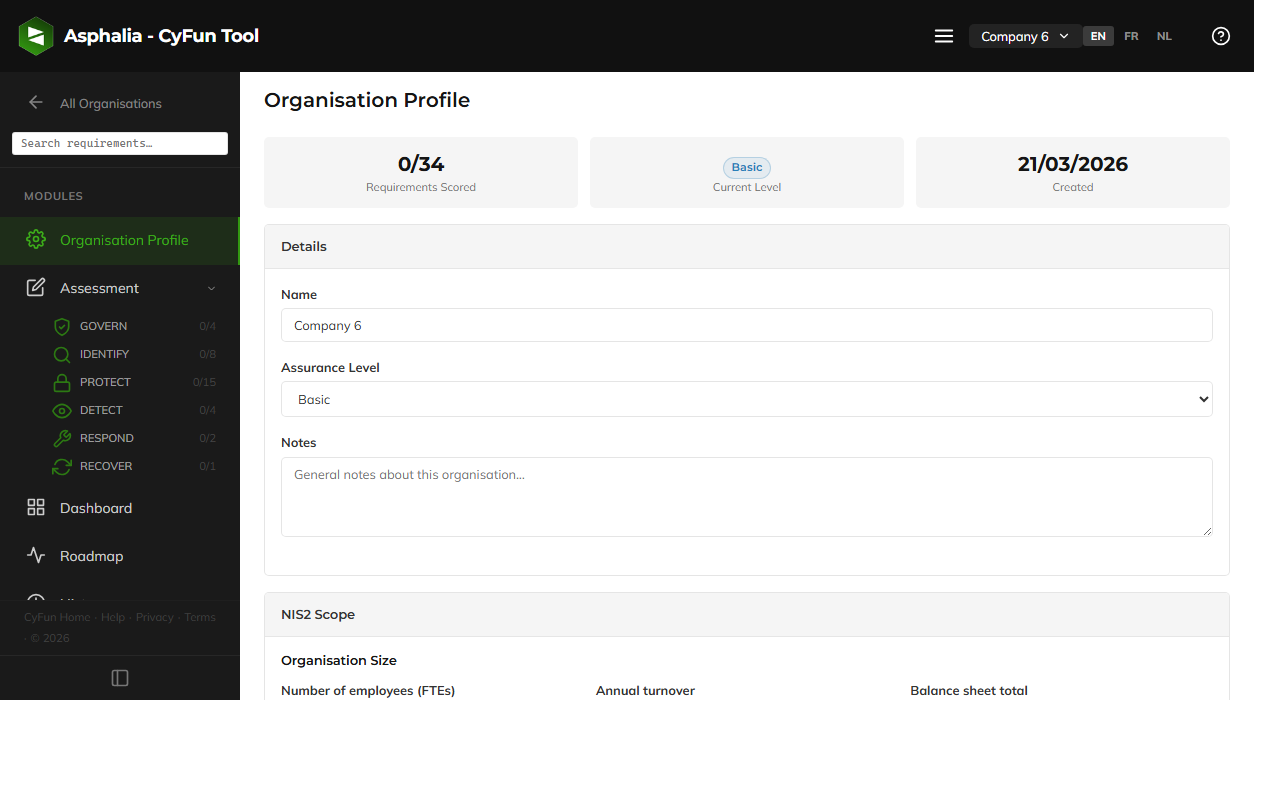
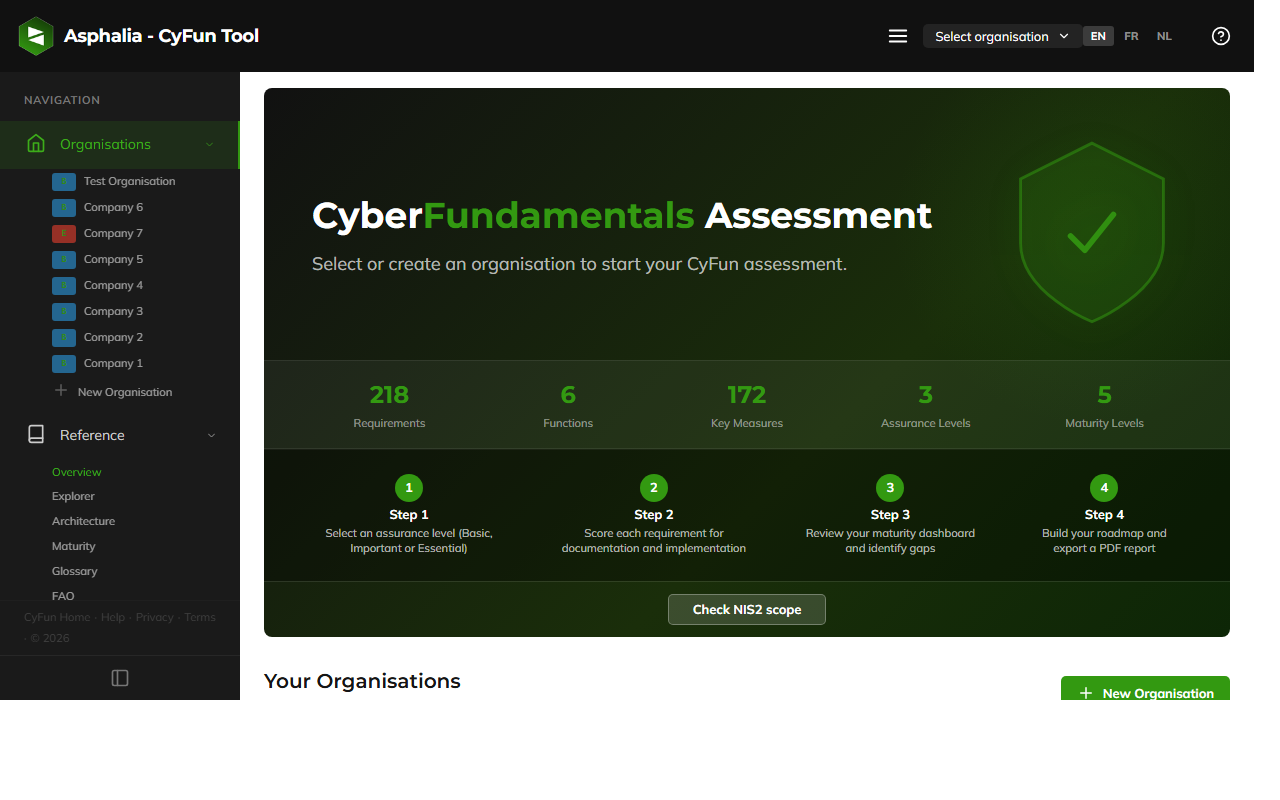
Open the tool. You will land on the Organisations home screen.
- Click "+ New organisation"
- Enter your organisation's name (visible only to you, stored locally)
- Select your sector (used for context and some filtering in the Reference section)
- Select your size (Micro/Small, Medium, or Large)
- Select your assurance level (Basic, Important, or Essential) — this determines which requirements appear in Assess and what thresholds are applied
- Click Create
Your profile is saved locally in your browser — nothing is sent to a server. You can create multiple organisations (subsidiaries, clients, or test profiles).
Editing your organisation later: Open your organisation → click the Profile tab in the sidebar → edit any field. Changing the assurance level adjusts which requirements are displayed but does not delete existing scores.
CyFun is organised in a 4-level hierarchy: Function → Category → Subcategory → Requirement.
| Level | Example | Count |
|---|---|---|
| Function (6) | GOVERN (GV), IDENTIFY (ID), PROTECT (PR)… | 6 |
| Category | GV.OC — Organisational Context | ~25 |
| Subcategory | GV.OC-01 — Mission understanding | ~80 |
| Requirement | GV.OC-01.1 — The organisation's mission shall be established… | 218 total |
The 6 functions and their focus areas:
- GV – GOVERN: Governance, risk management strategy, policy, roles & responsibilities, oversight
- ID – IDENTIFY: Asset inventory, risk assessment, supply chain risk, business environment
- PR – PROTECT: Access control, awareness training, data security, platform security, technology resilience
- DE – DETECT: Continuous monitoring, adverse event analysis, anomaly detection
- RS – RESPOND: Incident management, analysis, mitigation, reporting, communication
- RC – RECOVER: Recovery plan, restoration, communication during recovery, lessons learned
Key Measures are the 29 highest-priority controls (13 Basic, 9 Important, 7 Essential — marked with a ★ in the tool). They are the CCB inspection service's audit focus, derived from the most common cyber attack patterns observed in Belgium. At Essential level, each Key Measure must individually score ≥ 3 / 5; the remaining 189 requirements can compensate each other within a function. At Basic and Important, CCB only requires the overall average ≥ 2.5 / 5 — the tool surfaces per-Key-Measure indicators at those levels as informational good-practice signals.

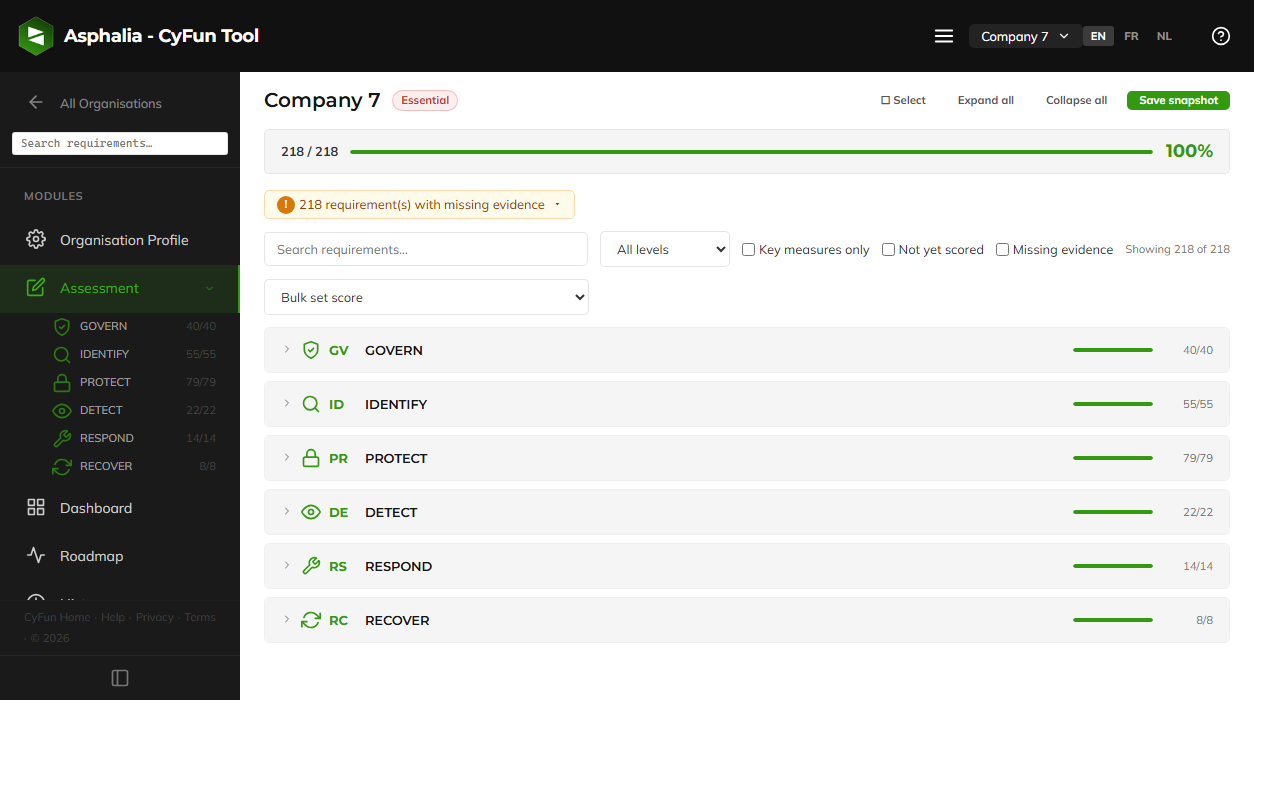
Go to Assess in the sidebar. For each requirement, give two scores on a 1–5 scale:
- Documentation (D): Does an approved written policy, procedure, or guideline exist for this topic? Is it up to date?
- Implementation (I): Is it actually done in practice? Are people following the procedures?
| Score | Name | What it means | Example (access control) |
|---|---|---|---|
| 1 | Initial | Nothing exists; purely reactive | No policy; passwords shared by email |
| 2 | Repeatable | Informal, ad hoc, project-by-project | Some password rules exist informally; no MFA |
| 3 | Defined | Formal, approved, applied organisation-wide | Written policy; MFA enforced; regular access reviews |
| 4 | Managed | Measured, with metrics and targets | Access metrics tracked; policy reviewed with KPIs |
| 5 | Optimizing | Continuously improved, data-driven | Automated provisioning; continuous improvement cycle in place |
Your maturity score for a requirement = average of D and I. Your overall score = average across all applicable requirements.
Practical tips for scoring:
- Score honestly: A CAB auditor will look for evidence — if you score 3 for Implementation, you need to show it is actually applied organisation-wide, not just for one team.
- Use the Notes field: Each requirement has a notes field. Record your rationale, evidence references, or action reminders while you score.
- Use the filters: Filter by function, Key Measure status, or "unscored only" to focus one area at a time. You don't need to complete everything in one session.
- D vs I mismatch: It is common to have high Documentation and low Implementation (policies on paper not followed) or vice versa. Both gaps need to be fixed for a formal audit.
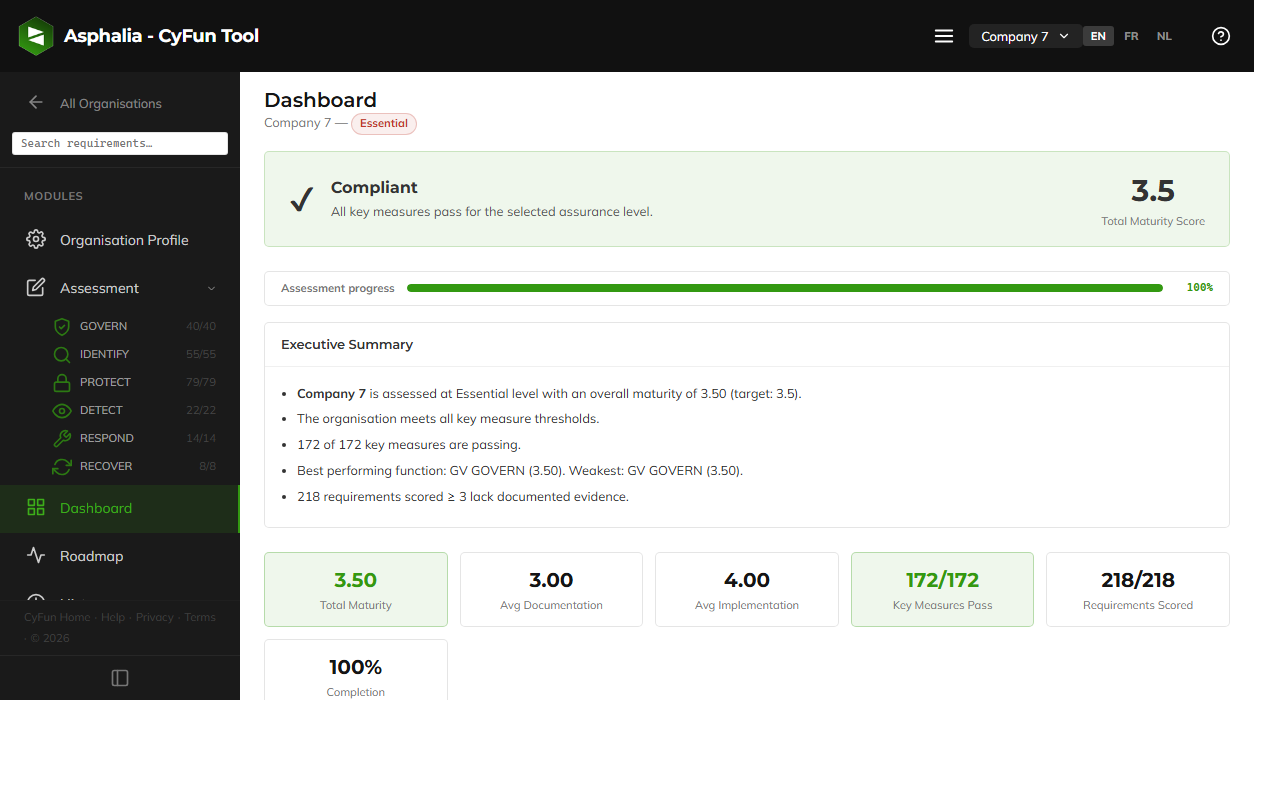
Go to Dashboard. The dashboard calculates your compliance position in real time.
- The radar chart shows your average maturity score for each of the 6 functions. Functions outside the threshold line are compliant; functions inside it are below threshold.
- The compliance gauge shows your overall maturity score vs. the threshold — and how close you are as a percentage.
- The Key Measures status panel shows how many Key Measures meet the minimum individually and how many are still below. This is often the most critical metric.
- The gap analysis table lists all functions and Key Measures below threshold, with the exact gap size, sorted by severity.
- Colour coding: green = at or above threshold · orange = within 0.5 of the threshold · red = significant gap.
For Essential level only: The dashboard also checks the per-category minimum (≥ 3.0 per category). Categories below this threshold are flagged separately.
How to read your result: All-green means you are ready for CAB verification. Red Key Measures are the most urgent — fix these before addressing non-Key-Measure requirements.
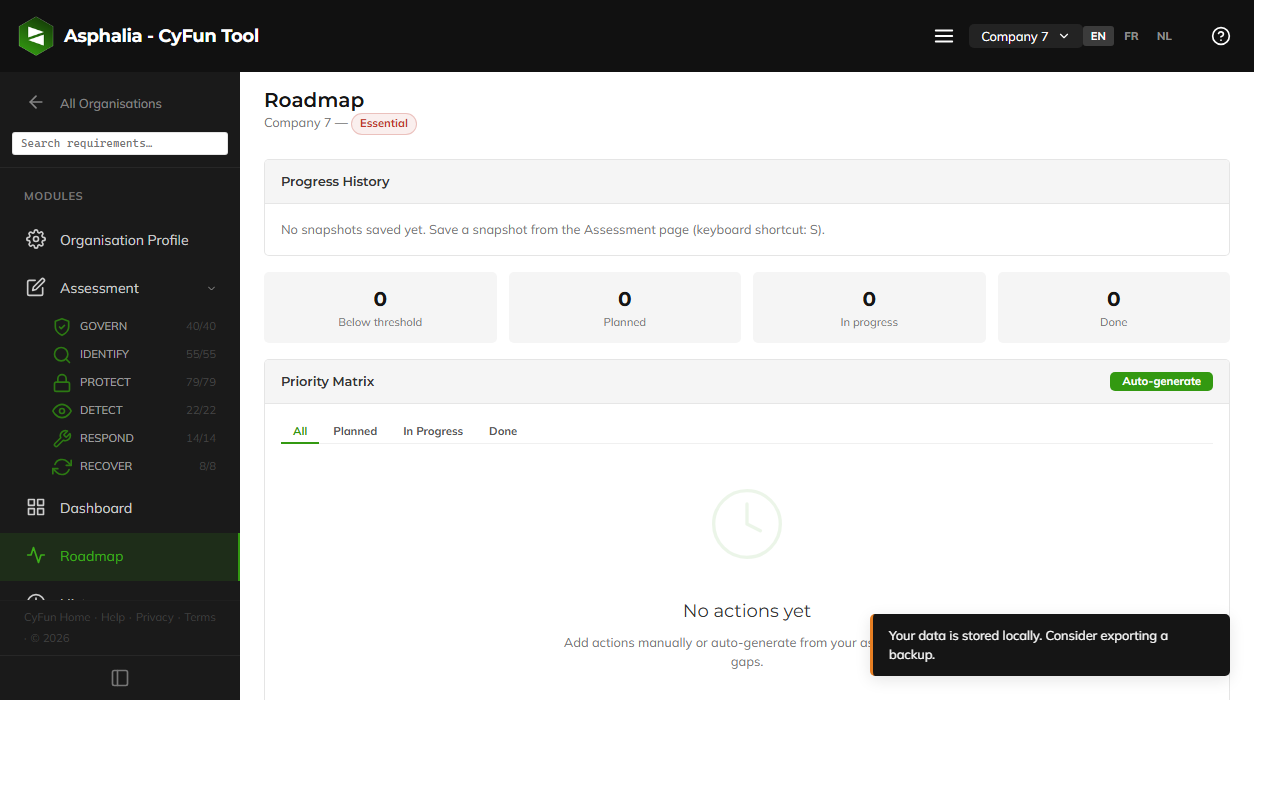
Go to Roadmap. The tool generates a Priority Matrix — all requirements below the threshold, ranked by gap size and Key Measure weight.
Creating actions: Open any requirement in the matrix → click "+ Add action" → enter a title, assign to a person (name or role), set a target date, add notes if needed → track status: Planned → In Progress → Done.
Once an action is Done and you re-score the underlying requirement, the gap closes and the item moves out of the matrix.
Using snapshots for progress tracking:
- Click "Take snapshot" to save your current scores as a named checkpoint (e.g. "Baseline Q1 2025", "Post-remediation July").
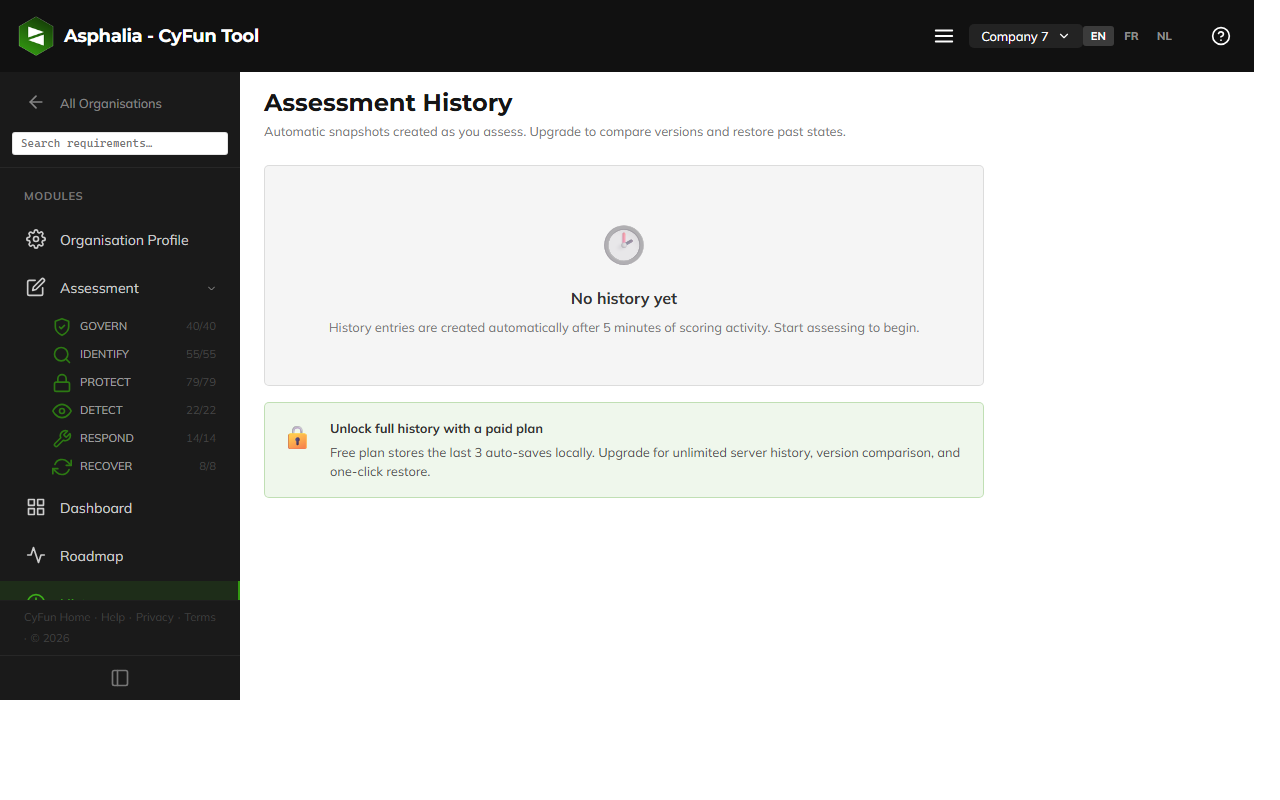
- Snapshots appear in the History tab — compare any two snapshots to visualise improvement over time.
- Take a snapshot before any major scoring session so you can always return to a known state.
Go to Export / Import in the sidebar. Three formats are available:
- PDF: A formatted compliance report with scores, radar chart, gap analysis, and roadmap. Suitable for management reporting or sharing with a CAB auditor. Generated entirely in your browser — no data leaves your device.
- Excel (XLSX): All requirements with your scores and gap calculations, one row per requirement. Useful for detailed analysis, pivot tables, or sharing with a spreadsheet-oriented auditor.
- JSON: A complete backup of all your data — all organisations, scores, notes, actions, and snapshots. Use this to migrate between computers, browsers, or as a regular safe backup.
Importing a JSON backup: Go to Export / Import → Import → select your .json file → choose to merge (add to existing data) or replace (overwrite all existing data).
Best practice: Export a JSON backup at least once a week, and always before clearing browser data, switching browsers, or using a new device.
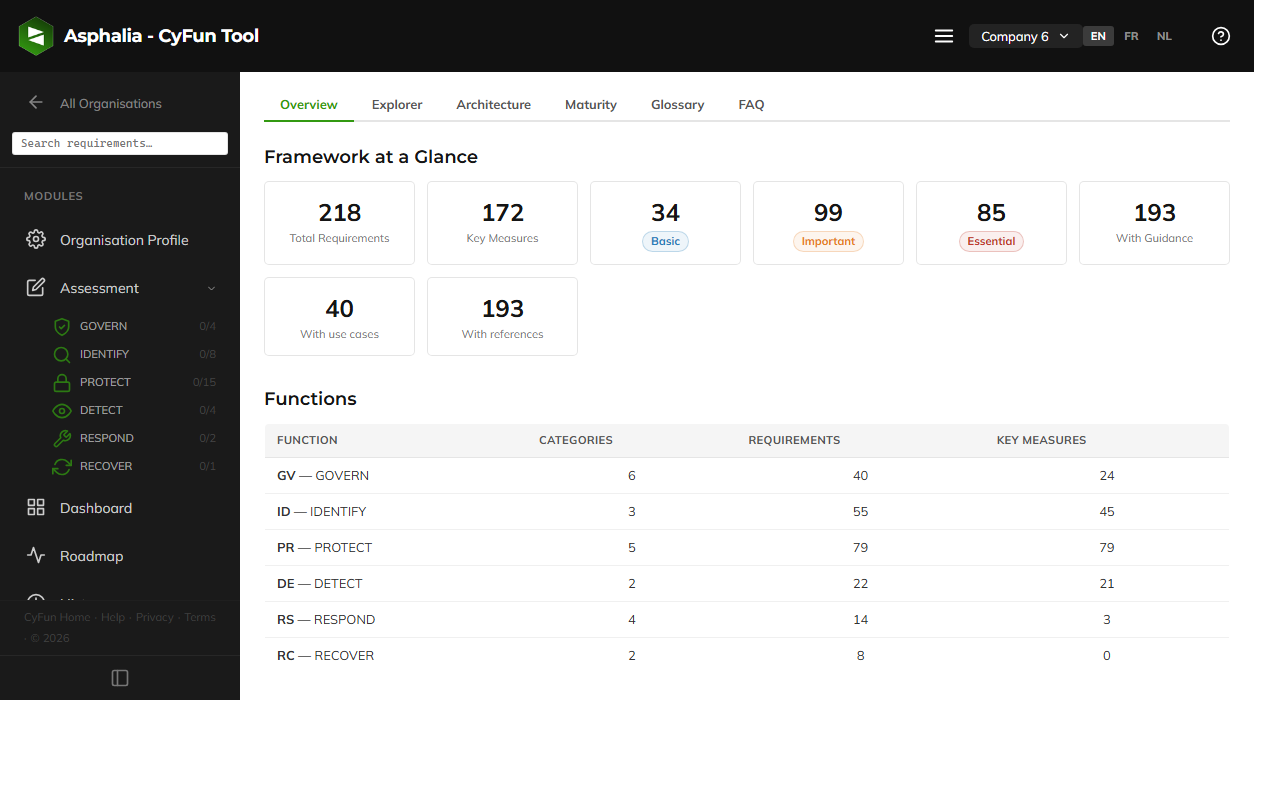
The Reference section (sidebar, independent of any organisation) is a built-in knowledge base with 6 tabs:
- Overview: A summary of the CyFun framework — number of requirements per level, thresholds, linked external standards, and a visual summary of the 6 functions. A good starting point before your first scoring session.
- Explorer: Browse all 218 requirements with powerful filters: level, function, Key Measure status, and linked standard (ISO 27001/27002, CIS Controls v8, NIST CSF 2.0, IEC 62443). Click any requirement to read its full guidance text, use-case examples, evidence hints, and cross-references to other frameworks.
- Architecture: A visual representation of the framework hierarchy — how functions, categories, subcategories, and requirements are structured. Useful for understanding scope before diving into scoring.
- Maturity Levels: Plain-language descriptions of what levels 1–5 mean in practice, with concrete examples adapted to your assurance level. Use this when unsure how to score a requirement.
- Glossary: Definitions of all key terms used in CyFun, NIS2, and this tool (e.g. "Key Measure", "CAB", "maturity score", "gap"). Look here for any unfamiliar term.
- NIS2 FAQ: 60+ official Q&As from the CCB about NIS2 scope, reporting obligations, deadlines, sanctions, and sector-specific questions — directly sourced from official CCB documentation.
Note: This tool is a self-assessment aid — its results are indicative and not legally binding. Legal compliance is determined by formal verification or certification by an accredited Conformity Assessment Body (CAB), not by this tool.
FAQ
Common questions
Quick answers to the most frequent questions. Click any question to expand it.
About NIS2 & CyFun
NIS2 (EU Directive 2022/2555) was transposed into Belgian law on 26 April 2024. It requires organisations in certain sectors to implement cybersecurity measures and report significant incidents.
NIS2 applies to your organisation if you: (1) provide a service listed in Annex I or II of the Belgian NIS2 law; and (2) qualify as a medium or large enterprise (50+ employees or €10M+ turnover). Public administrations, trust service providers, and DNS operators are in scope regardless of size.
Use the NIS2 Scope Wizard inside the tool (Profile → NIS2 Scope) if you are unsure.
CyFun® is Belgium's national cybersecurity framework, published by the Centre for Cybersecurity Belgium (CCB). It defines 218 requirements across 6 functions (Govern, Identify, Protect, Detect, Respond, Recover) at three assurance levels (Basic, Important, Essential).
CyFun is rooted in the NIST Cybersecurity Framework (CSF 2.0) and cross-referenced with ISO 27001/27002, CIS Controls v8, and IEC 62443. Achieving CyFun compliance is the official Belgian path to demonstrate NIS2 compliance.
| Level | Requirements | Min. average score | Key Measure min. |
|---|---|---|---|
| Basic | 34 | ≥ 2.5 / 5 | — |
| Important | 133 (34 + 99) | ≥ 2.5 / 5 | — |
| Essential | 218 (133 + 85) | ≥ 3.5 / 5 | ≥ 3.0 each, also ≥ 3.0 per category |
The verification method also differs: Basic and Important require a self-assessment verified by an accredited CAB, while Essential requires a full certification audit (ISO/IEC 17021-1).
Key Measures are the 29 highest-priority controls that the CCB inspection service uses as the primary audit focus. They are derived from the most common cyber attack patterns observed in Belgium and are split across the three levels: 13 at Basic, 9 added at Important, 7 added at Essential. They are marked with a ★ in the tool.
At Essential, every Key Measure must individually score ≥ 3 / 5 — you cannot average a weak Key Measure with a strong one. At Basic and Important, CCB requires only the overall average (≥ 2.5 / 5); the tool still surfaces per-Key-Measure indicators on the dashboard as informational good-practice signals, not as pass/fail gates.
- GV – GOVERN: Governance, risk strategy, policies, and regulatory compliance
- ID – IDENTIFY: Asset management, risk assessment, supply chain, and understanding what needs protection
- PR – PROTECT: Access control, encryption, backups, training, and technical safeguards
- DE – DETECT: Monitoring, anomaly detection, and security event management
- RS – RESPOND: Incident response planning, communication, and mitigation
- RC – RECOVER: Recovery planning, restoration, and lessons learned
Each requirement is scored on two separate dimensions:
- Documentation (D): Does a written, approved policy or procedure exist for this topic? Is it up to date and accessible?
- Implementation (I): Is the policy actually followed? Is the technical control in place and working?
A common failure pattern is good documentation with poor implementation (policies that exist on paper but aren't followed), or good implementation with no documentation (things work but aren't written down). CyFun requires both. Your maturity score for a requirement is the average of D and I.
| Level | Average maturity | Key Measure min. | Category min. |
|---|---|---|---|
| Basic | ≥ 2.5 / 5 | — (informational only) | — |
| Important | ≥ 2.5 / 5 | — (informational only) | — |
| Essential | ≥ 3.5 / 5 | ≥ 3.0 each | ≥ 3.0 / category |
Per CCB doctrine, only Essential enforces per-Key-Measure and per-category minimums; Basic and Important require only the overall average ≥ 2.5 / 5. The dashboard still surfaces per-Key-Measure and per-category indicators at Basic / Important as good-practice signals so you can preview how you would fare under stricter rules — they do not affect pass/fail status at those levels.
NIS2 requires in-scope organisations to report significant incidents to the CCB within defined timeframes:
- 24 hours: Early warning — notify the CCB that a significant incident has occurred.
- 72 hours: Initial notification — provide detail on the incident's nature, initial impact, and indicators of compromise.
- 1 month: Final report — full incident analysis, root cause, remediation actions taken.
An incident is "significant" if it causes (or could cause) severe disruption to service delivery, affects other organisations, or involves a malicious act. For reporting, use the official CCB portal at atwork.safeonweb.be. This tool does not manage incident reporting.
CyFun is built on NIST CSF 2.0 (the 6 functions come directly from NIST) and cross-referenced with ISO 27001/27002, CIS Controls v8, and IEC 62443.
- ISO 27001: Globally recognised certification. Many ISO 27001 controls map to CyFun requirements. The Reference → Explorer shows exact cross-references. However, ISO 27001 certification does not automatically substitute CyFun for Belgian NIS2 purposes — CyFun is the legally recognised path in Belgium.
- NIST CSF: The structural backbone of CyFun. If your organisation already uses NIST CSF, the mapping to CyFun is straightforward.
- CIS Controls v8: Practical implementation guidance. Many CyFun requirements map to specific CIS controls.
In short: existing certifications or frameworks reduce the effort needed for CyFun but do not replace it.
Using the tool
All your data is stored exclusively in your browser's local storage — a built-in browser feature that keeps data on your device only. Nothing is ever sent to any server. The tool is fully offline: once loaded, it works without an internet connection.
This means your assessment data is completely private and under your control. No account, no login, no tracking.
Use Export / Import → JSON backup to save a complete copy of all your data as a .json file. Store it somewhere safe (your documents folder, a USB drive, or a cloud storage service).
To restore, use Export / Import → Import and select the .json file. Export a backup regularly — especially before clearing browser data or switching computers.
Yes. The free plan lets you manage up to 2 organisations. Each has its own profile, assessment scores, dashboard, and roadmap. Switch between them using the organisation switcher in the tool header. Need more? The Pro plan removes this limit.
In the Assess section, recent scoring changes can be undone with the Undo button or Ctrl+Z / ⌘Z. For more significant actions (deleting an organisation), these are not undoable within the session.
If you have a JSON backup, you can restore from it via Export / Import → Import. This is why regular exports are strongly recommended.
Use the EN / FR / NL buttons in the navigation bar (this page) or in the tool header. Your preference is saved automatically and remembered next time.
The assessment tool itself is designed for desktop browsers (≥ 900px wide). On smaller screens a notice recommends using a desktop. This help page and the landing page are fully responsive. For the actual assessment, a laptop or desktop is recommended.
Your data lives exclusively in your browser's local storage. If you clear browser history, cookies, or site data — or switch to a different browser or computer — your assessment data will be lost.
Prevention: Export a JSON backup regularly via Export / Import → JSON backup. Store it in a safe place (documents folder, cloud storage, USB drive). To restore, use Export / Import → Import and select the .json file.
The JSON file contains all your organisations, scores, notes, actions, and snapshots — everything needed to fully restore your work.
Yes. In the Assess section, click any requirement to expand it — you will find a Notes field. Use it to record:
- Your reasoning for the score you gave
- References to evidence (e.g. "Policy doc: /IT/Access-Control-Policy-2025.pdf")
- Reminders for follow-up or open questions
- Names of people responsible for implementation
Notes are saved automatically and included in the JSON and XLSX exports. They are especially useful when preparing for a CAB verification.
The tool does not have real-time collaboration — all data stays in your browser. To work with a colleague or consultant:
- Export your data as JSON (Export / Import → JSON backup)
- Send the file to your colleague
- They import it into their own instance of the tool (Export / Import → Import)
- They make changes and export an updated JSON
- You import the updated JSON back
Both parties should agree on who holds the "master" copy to avoid conflicting versions.
Understanding your results
This is completely normal at the start of any assessment — red means the score is below the threshold, not that your organisation is in breach of the law. The dashboard is designed to show you where to focus.
Start with the Key Measures in red (highlighted in the gap analysis). Use the Roadmap section to create action items. The assessment is a journey: close the biggest gaps first, reassess, and iterate.
A gap is the difference between your current maturity score and the required threshold for your level. For example: if your PROTECT function scores 2.3/5 and the threshold for Important is 3.0/5, the gap is 0.7 points.
The dashboard lists all gaps and sorts them by severity. Closing a gap means improving your documentation and/or implementation in that area and then re-scoring the affected requirements.
The tool is a self-assessment aid — its results are indicative, not legally binding. Non-compliance in the tool means your current self-assessment scores are below the threshold; it does not mean you are in breach of the NIS2 law.
Legal compliance is determined by the formal verification or certification process performed by an accredited CAB. Use the tool's results to guide improvement, then engage a CAB for the official assessment.
The priority matrix lists all requirements currently below the threshold, ranked by gap size and weighted by whether they are Key Measures. It gives you a prioritised action list: fix the biggest gaps in Key Measures first, as they unblock compliance the fastest.
You can create action items directly from the matrix by opening any requirement and clicking "+ Add action".
Yes — this is one of the most common and meaningful findings. A high Documentation score with a low Implementation score means policies exist on paper but are not followed in practice. This is a real risk: in the event of an incident or an audit, written policies that are not applied provide no protection.
For a CAB verification, you need to demonstrate both: the policy exists (D) and is actually applied (I). Auditors will look for evidence of implementation — not just policy documents.
The reverse (I > D) — doing things without documented policies — is also a problem: informal practices may be inconsistent, hard to communicate to new staff, or lost when key people leave.
Use the Roadmap to plan both documentation and implementation improvements together.
A snapshot saves your current scores at a specific point in time — like a named checkpoint. It does not affect your working scores.
Good times to take a snapshot:
- At the very start of your assessment ("Baseline")
- After completing a major remediation effort ("Post-remediation Q2 2025")
- Before a CAB verification ("Pre-audit")
- At regular review intervals (quarterly, annually)
To take a snapshot: go to Roadmap → History tab → click "Take snapshot" → give it a name. In the History view you can compare any two snapshots to see which areas improved and by how much.
Going further
The CCB maintains a list of accredited Conformity Assessment Bodies (CABs) on cyfun.eu. A CAB will verify your self-assessment (Basic/Important) or conduct a full audit (Essential).
Asphalia Consulting also provides advisory services for NIS2 and CyFun compliance — contact us at contact@asphaliaconsulting.be.
- Framework documentation: atwork.safeonweb.be
- Toolbox (templates, guidance): Safeonweb@Work Toolbox
- CyFun portal: cyfun.eu/en
The tool also includes a built-in NIS2 FAQ with 60+ official Q&As — accessible from Reference → NIS2 FAQ.
No. This tool is built and maintained by Asphalia Consulting SRL and is not affiliated with or endorsed by the Centre for Cybersecurity Belgium (CCB). It is based on the publicly available CyFun® 2025 framework documentation. For official guidance, always refer to the CCB's publications and accredited CABs.
Once your scores consistently meet the threshold:
- Gather evidence: Collect the documents, logs, and records that demonstrate each requirement is implemented.
- Engage a CAB: Contact an accredited Conformity Assessment Body for formal verification or certification.
- Register on Safeonweb@Work: NIS2 entities must register with the CCB at atwork.safeonweb.be.
- Set up regular reviews: Your scores need to be maintained and updated as your organisation evolves.
Under Belgian NIS2 law, the CCB can impose administrative fines. Maximum fines are:
- Essential entities: up to €10 million or 2% of total global annual turnover (whichever is higher)
- Important entities: up to €7 million or 1.4% of total global annual turnover (whichever is higher)
Additional measures may include temporary suspension of services, public disclosure of violations, or temporary bans for senior management in cases of gross negligence.
These are maximum limits — the CCB applies a proportional approach. The tool is not a legal risk calculator; consult a legal adviser for advice specific to your situation.
Yes. The free plan supports up to 2 organisations. With the Pro plan you get unlimited organisations — ideal for consultants managing multiple clients. Each has its own isolated profile, scores, dashboard, and roadmap.
Typical consultant workflow:
- Create an organisation profile for each client
- Score the assessment during your engagement
- Export the JSON to share with the client (they can import it into their own instance)
- Export PDF / XLSX for reporting deliverables
Each client keeps their own copy of the data — nothing is shared between organisations or sent to any server.
The Free plan gives you the full assessment tool: all assurance levels, all exports (PDF, XLSX, PPTX, JSON), the dashboard, roadmap, evidence engine, NIS2 wizard, and up to 2 organisations. No account required, fully offline.
The Pro plan adds:
- Cloud sync across devices
- Unlimited organisations
- Sector benchmark comparison
- History restore & version comparison
- Progress reports (snapshot-to-snapshot PDF)